

This meter features a wider ranging scale. It also includes a marker which hold the
peaks for a preset time, (or until reset) and includes Clipping indicators operating
at Full Scale -
It can also show average readings which give a better idea of loudness. Set the average to 0.3 seconds and it is similar to a VU meter but at the same time it shows peaks as well. The actual values may be displayed in dB.
The background graphic can be customised to provide a special scale or just for style!
For Windows XP / Vista / 7 only.
Phase Correlation indication
In the red -
If left & right are identical (as in mono) the marker will move fully to the right.
Totally out-
Shown in a graphical form and in degrees if required.
Peak Hold time can be set from 0.1 to 300 seconds, or infinite.
A rolling average can be applied and is displayed as a floating marker.
Set it to 0.3 seconds for a response like a VU meter.
An optional numeric readout can display peaks or the average in dB.
User can change colour of Peak indicator and Peak Hold function added.
It can also be operated in single channel mono mode with a choice of left, right
or sum (M6, sum = L + R -
Wide Range Meter Version 1.50 now available
Requires Window XP , Vista, or 7

Using with Multiple Inputs
More details are available on request from DarkwoodDesigns.co.uk
The processor power used is fairly small when operated at its native size (ie 100%) but will increase when resized.
The path is easily obtained from the shortcut properties. Save to the desktop as Start Meters.BAT or something. Note the empty quotes "" after the word START.
START "" "C:\Program Files\Darkwood\Wide Range Peak Meter 1\WideRangePeak.exe"
START "" "C:\Program Files\Darkwood\Wide Range Peak Meter 2\WideRangePeak.exe"
START "" "C:\Program Files\Darkwood\Wide Range Peak Meter 3\WideRangePeak.exe"
Make a batch file using Notepad to start the programs simultaneously, for example:
To operate in this way you can use the installer to create multiple copies of the program in different folders.
Rename the Desktop icon (if you want one) after each one has been created. You can then set up each instance with a different soundcard input, label and position on screen.
Multiple inputs work well but the program does not build multiple meters directly.





To close them all down simultaneously make a batch file with this one single command:
TASKKILL /F /IM WideRangePeak.exe
Save as Close Meters.BAT or similar.
Note that as this command forces an immediate close any changes such as position are not stored. Close each instance individually at least once to store the settings.

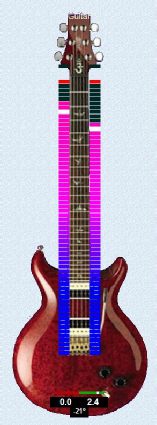
Examples of display options


This link takes you to Avangate secure payment service. You will be emailed a download link. This works promptly 24/7.
Alternatively -
If you prefer you can email me and pay byPalPal but there may be a delay.
I will then send you an email link to download the full working version. Alternatively, a bank transfer can be accepted. Details on request.
For problems with the program or assistance such as making custom graphics email
me -
